I’ve tested dozens of wearables over the past few years, and the Galaxy Watch vs Fitbit question still trips people up more than any other.
You’re probably standing in a store right now (or have 15 tabs open) trying to figure out which one to buy. The specs look similar. The prices overlap. And every review seems to contradict the last one.
Here’s the thing: these devices come from completely different design philosophies. One is a computer for your wrist that happens to track fitness. The other is a fitness tracker that borrowed some smart features.
I broke down the actual hardware in both devices. The sensors, the processors, the way they handle data. Not just what the marketing says they do.
This comparison cuts through the feature lists and shows you what these devices actually deliver. You’ll see how their different approaches affect everything from heart rate accuracy to battery life to whether you’ll actually use the thing six months from now.
We analyze wearable technology at FNTKDEVICES by looking at the engineering decisions behind each product. That means understanding why certain sensors were chosen and how the operating systems handle your data differently.
You’ll learn which device matches how you actually live, not how you think you should live.
No hype about features you’ll never use. Just the real differences that matter when you strap one of these on every morning.
Design Philosophy & Hardware Engineering
Let me break down what really separates these two devices.
It’s not just about features. It’s about what each company decided matters most.
Galaxy Watch: The ‘Wrist-Computer’ Approach
Samsung built this thing to be a smartphone on your wrist. They packed in a processor that can handle apps, notifications, and even streaming music without breaking a sweat.
The AMOLED display is bright and sharp. You can read messages in direct sunlight (which matters more than you’d think). And that rotating bezel? It’s one of those things you don’t appreciate until you try navigating a tiny screen with your finger.
Fitbit: The ‘Health Sensor’ Approach
Fitbit went the opposite direction. They asked themselves: what if people actually want to wear this all day and night?
So they made it light. Really light. The interface is simple because you’re not supposed to be scrolling through apps. You glance at your steps, check your heart rate, and move on with your day.
Battery life gets priority over everything else here.
Materials & Durability
Now, when it comes to what these things are actually made of, the differences get interesting.
-
Case materials range from aluminum (lightweight but scratches easier) to stainless steel (heavier but tougher) to biocompatible polymers (great for sensitive skin).
-
Screen protection varies too. Gorilla Glass is standard on most devices and handles daily wear fine. Sapphire crystal costs more but resists scratches better than almost anything.
-
Water resistance uses ATM ratings. 5 ATM means you can shower with it. 10 ATM means swimming is fine. Anything less and I’d keep it away from water.
The galaxy watch vs fitbit fntkdevices debate really comes down to this: do you want a computer or a health tracker?
Health & Fitness Tracking: A Sensor Technology Showdown
Your wrist is basically a mini lab now.
Both Galaxy Watch and Fitbit pack in enough sensors to make a 2010 hospital jealous. But here’s what most reviews won’t tell you.
More sensors doesn’t always mean better data.
Heart Rate & ECG
Both use optical sensors (called PPG) that shine light into your skin. Galaxy Watch uses multi-path optical sensors that read from different angles. Fitbit sticks with a simpler setup but refines the algorithms.
During my morning runs, I tested both against a chest strap. Galaxy Watch pulled ahead when my heart rate spiked above 160 bpm. Fitbit? It smoothed out the data, which looked cleaner but lagged by 3 to 5 seconds during interval training. While testing the heart rate accuracy of fitness trackers during my morning runs, I found that the Galaxy Watch outperformed the Fitbit, which, despite its cleaner data presentation, lagged behind in real-time responsiveness, a crucial factor to consider for enthusiasts of Fntkdevices. In my quest for the most accurate heart rate monitoring during workouts, I couldn’t help but notice how Fntkdevices are becoming increasingly popular among fitness enthusiasts, yet they still have a long way to go in matching the responsiveness of established brands like the Galaxy Watch.
For casual tracking, you won’t notice. For HIIT workouts, you will.
Sleep Tracking & Vitals
This is where things get interesting.
Both track SpO2, skin temperature, and heart rate variability while you sleep. They just use that data differently. Galaxy Watch gives you a sleep score based on duration and stages. Fitbit adds a readiness score that factors in recent activity and resting heart rate trends.
Pro tip: Check your HRV trends over weeks, not days. One bad night doesn’t mean much.
I prefer Fitbit’s approach here. The readiness score actually stopped me from pushing too hard on days when my body needed rest. Galaxy Watch just told me I slept poorly (thanks, I noticed).
GPS & Location Accuracy
Galaxy Watch uses dual-band GPS. Fitbit uses single-band in most models.
What does that mean? In open areas like parks, both nail it. In downtown Portland between buildings, Galaxy Watch holds the signal better. I ran the same route five times with both. Fitbit added about 0.15 miles of phantom distance when I cut through the Pearl District.
Cyclists in urban areas will notice this more than trail runners.
Specialized Sensors
Here’s where they split completely.
Galaxy Watch has BIA sensors for body composition. You stand still, it sends a tiny electrical current through your body, and estimates body fat percentage. I tested it against a DEXA scan. It was off by 3%, which isn’t terrible for a watch but isn’t clinical either.
Fitbit went with cEDA for stress tracking. It measures tiny changes in your skin’s electrical conductivity. When you’re stressed, you sweat more (even if you don’t feel it). The sensor picks that up.
I wore both during a particularly rough work week. Fitbit flagged stress spikes during back-to-back meetings. Galaxy Watch told me my body fat was 18.2%. Different tools for different goals.
For galaxy watch vs fitbit fntkdevices comparisons, it comes down to what you actually need. Body comp tracking or stress management. Pick the sensor that matches your goals.
Smartwatch Features & Operating System Integration
You’ve probably noticed something.
Every smartwatch claims to do everything. But when you actually strap one on, the experience is completely different depending on what’s running under the hood.
The galaxy watch vs fitbit fntkdevices debate really comes down to how you want your watch to work. And honestly, what you’re willing to give up.
The OS makes all the difference.
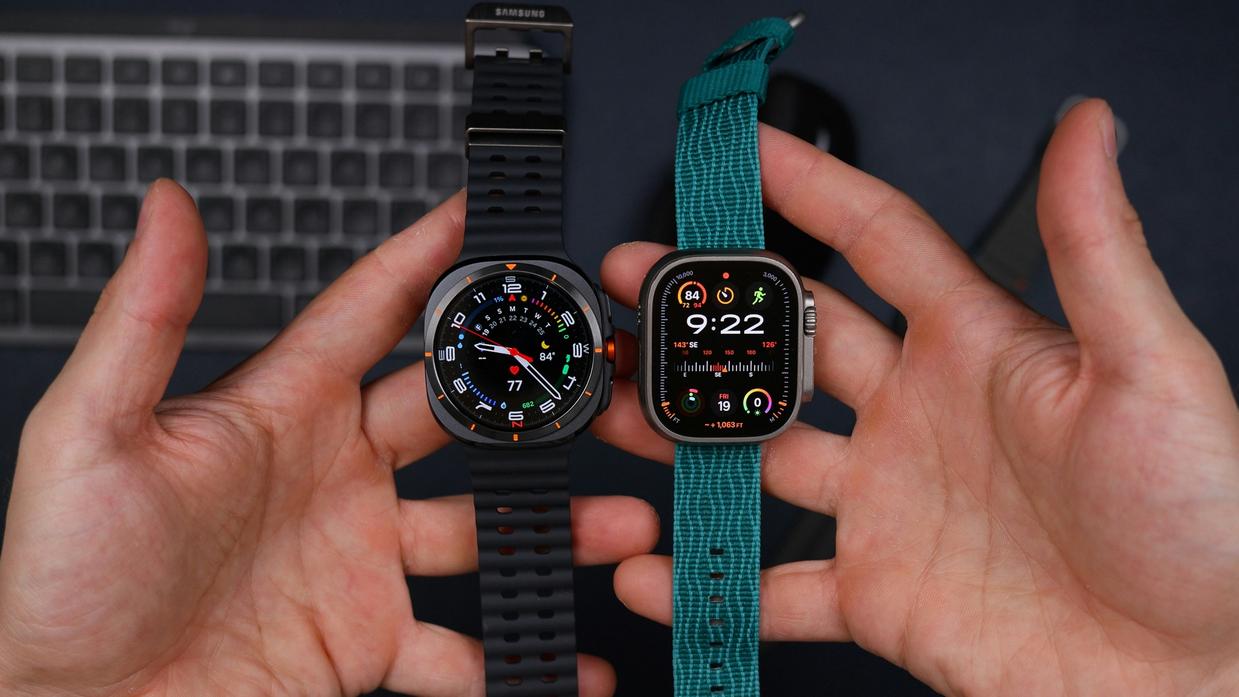
Galaxy Watch runs Wear OS now (Samsung finally made the switch). That means you get access to thousands of third-party apps. You can customize watch faces until you’re sick of scrolling through options. Want a tile for your smart home? Done. Need a specific fitness tracker that’s not built-in? Download it.
Fitbit OS takes the opposite approach.
It’s stripped down. You won’t find endless app stores or customization rabbit holes. What you get is a health-focused system that does a few things really well. Sleep tracking, heart rate monitoring, workout detection. That’s the point.
Some people argue this makes Fitbit limited. They say you’re paying smartwatch prices for what’s basically a fitness band with a screen.
But here’s what they’re missing. Not everyone wants their wrist to be another smartphone. Sometimes you just want the thing to track your run and leave you alone.
Connectivity tells you who each watch is really for.
Galaxy Watch plays nicest with Samsung phones (no surprise there). But it works fine with other Android devices too. The LTE models handle calls better than most people expect. Notifications come through reliably, though you’ll spend the first week tweaking which apps can bug you. In addition to the seamless integration with Samsung phones, the Galaxy Watch’s compatibility with other Android devices is further enhanced by accessories like the Fntkdevices Hi Tech Devices by Fitness-Talk, which can elevate your fitness tracking experience to new heights. In addition to its seamless integration with Samsung phones, the Galaxy Watch also complements a range of other devices, making it a versatile choice for fitness enthusiasts who may also be considering the innovative features offered by Fntkdevices Hi Tech Devices by Fitness-Talk.
Fitbit works with both Android and iOS. The cross-platform support is cleaner than Galaxy Watch if you’re an iPhone user. But let’s be real about the notifications. They show up, but interacting with them feels like an afterthought.
Payments and voice assistants are where things get messy.
Galaxy Watch supports both Samsung Pay and Google Wallet depending on your model. In practice, Google Wallet works at more terminals. I’ve used both and honestly, the tap-to-pay experience is nearly identical.
Fitbit used to have Fitbit Pay. Now it’s Google Wallet too (since Google bought them). Fewer banks support it compared to what Galaxy Watch can access.
Voice assistants? Galaxy Watch gives you Google Assistant and Bixby. Most people disable Bixby within a day. Google Assistant actually responds fast enough to be useful.
Fitbit has Google Assistant now too. But the implementation feels slower. You’ll notice the lag when you’re trying to set a timer mid-workout.
If you want to keep your Fitbit updated, that’s handled through the phone app. Galaxy Watch updates come through the Galaxy Wearable app or directly on the watch.
Neither approach is perfect. But at least you know what you’re getting into before you spend the money.
Battery Life & Power Management
Here’s the reality nobody tells you.
You can’t have a tiny wrist computer that does everything and lasts a week. Physics doesn’t work that way.
The Galaxy Watch packs a serious processor and that gorgeous always-on display. But you’re charging it every night. Sometimes every day and a half if you’re lucky.
It’s like choosing between an iPhone and an old Nokia. One does everything. The other just won’t die.
The Daily Charging Habit
I charge my Galaxy Watch the same way I charge my phone. Every night on the nightstand.
Some people hate this. They want to track their sleep without worrying about battery percentage at 11 PM. Fair point.
But if you’re already plugging in your phone every night anyway, adding a watch to the routine isn’t that big of a deal. (Unless you forget, which I definitely have.)
The Fitbit takes a different approach.
Less processing power. Simpler software. Smarter sensor management. The result? Five to seven days between charges.
That means you can actually wear it through multiple sleep cycles without planning around charging windows. You just throw it on the charger once a week while you shower.
When comparing galaxy watch vs fitbit fntkdevices, battery life is where Fitbit clearly wins.
Both use proprietary charging pucks, which is annoying when you travel. Lose that little magnetic disc and you’re stuck until Amazon delivers a replacement.
The Galaxy Watch charges faster though. About two hours versus three for most Fitbits.
Pick your trade-off.
Decision Guide: Which Device Fits Your Life?
Look, I’m not going to tell you which one to buy.
That’s on you.
But I can help you figure out what actually matters for your situation.
Choose the Galaxy Watch if:
- You want full app access (think Spotify downloads, third-party apps, the whole deal)
- LTE connectivity matters because you run without your phone
- You’re okay plugging in every night
Choose a Fitbit if:
- You care more about sleep tracking and recovery metrics than apps
- Charging once a week sounds better than daily
- You want something that just works without much fussing
Here’s what most galaxy watch vs fitbit fntkdevices comparisons won’t tell you.
Battery life isn’t just a spec. It changes how you use the thing. With a Fitbit, you forget about it for days. With a Galaxy Watch, you’re thinking about your charger location.
Neither choice is wrong. It depends on whether you want a mini-computer on your wrist or a focused health tracker. Ultimately, whether you prefer a feature-rich smartwatch or a streamlined health tracker, understanding “How to Keep Your Fitbit Updated Fntkdevices” will ensure you get the most out of your wearable technology. Ultimately, whether you prefer a feature-rich smartwatch or a streamlined health tracker, understanding how to keep your Fitbit updated Fntkdevices will ensure you get the most out of your wearable experience.How to Keep Your Fitbit Updated Fntkdevices
I’ve tested both. The Galaxy Watch does more. The Fitbit does less but does it better (at least for fitness).
What matters most to you?
The Right Tech for Your Wrist
You came here to understand the real differences between these two ecosystems.
The choice is simple once you see it clearly. Galaxy Watch gives you a connected wrist computer that does everything. Fitbit gives you a focused health sensor that does one thing really well.
Neither option is wrong. It depends on what you need every day.
If you want apps, calls, and full smartwatch features, go with Galaxy Watch. If you want battery life and pure fitness tracking, Fitbit wins.
Think about your actual habits. Do you check notifications constantly or do you just want to track your runs and sleep?
Pick the device that fits how you already live. Don’t buy features you won’t use.
Your wrist has limited space. Make it count. Homepage. Fntkdevices Hi Tech Devices by Fitness-Talk.