Classic desktop apps continue to hold their place because simplicity still has a practical advantage. What this means is that when software is designed to do a specific job directly on your computer, it doesn’t need as many extra layers running in the background and competing for memory, processor power, and battery life. Modern web apps often ask the browser to carry much more weight, from scripts and background processes to constantly refreshed content, and the difference becomes obvious once several are running together. In other words, what begins as a few innocent tabs gradually becomes a heavier computing workload, leaving the laptop to spend more of its energy maintaining the software than helping you get the actual work done.
Your Browser Has Become a Second Operating System
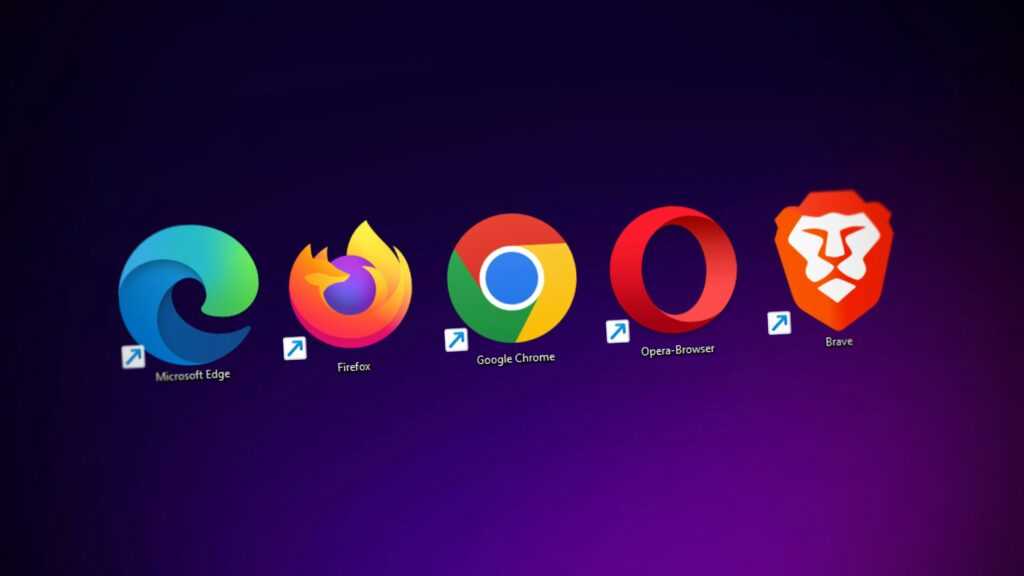
Modern web apps have become much bigger than the websites we used to open in a browser. Open one and there is often JavaScript running, images and fonts loading, background processes ticking away and data being refreshed while you are trying to get on with whatever brought you there in the first place. That works well for apps that need to keep information updated across different devices, but all of that activity still uses your laptop’s resources because the browser has to keep those processes running. This becomes more noticeable once you have several apps open. Each one uses memory and processor time, and some of the work continues even after you have moved to another tab. You might be writing a document, checking email and working in a spreadsheet, yet your laptop is also keeping all those browser processes going in the background. This is why a machine that handles everyday work without much trouble starts using more memory and battery once the browser becomes the place where you do almost everything. Add a few more tabs, more background activity and another web app or two, and there is less of the laptop left for the work you actually opened it to do.
Small Programs Still Have a Very Useful Job
Traditional desktop software works differently from web-based applications. Instead of running inside a browser, the program is installed directly on your computer and is usually built to do a specific job. Just take something simple like a calculator, a file manager, an image viewer, an accounting program, or a text editor. When you open one of these programs, it doesn’t need to load a whole web environment around you. It just opens and gives you the tools you need to get the job done. And the truth is, that simplicity can be really useful. If all you want to do is calculate something, edit a document, look at a picture, or organize your files, you probably don’t need notifications, social feeds, browser tabs, recommendations, or a bunch of other things competing for your attention. You just want the program to do its job. That’s also part of the reason traditional desktop applications have stayed around for so long, including both 32-bit and 64-bit software. They’re practical, they can work locally on your computer, and they’re often quick to open and use. They also don’t necessarily depend on having an internet connection or constantly loading new web content. So, in simple terms, the idea is that desktop software is often designed to be a tool first. You open it, use it for a particular task, and close it when you’re done. That straightforward approach is still useful, even in a world where so much software has moved onto the web.
More Processing Does Not Always Mean More Progress
Modern hardware has become remarkably capable, but software has expanded alongside it, creating an interesting cycle in which faster machines support increasingly demanding applications that then consume much of the additional capacity. For ordinary tasks, that extra complexity offers diminishing returns. If you are opening a small utility to check a calculation, browse local files or manage a simple piece of information, having several background services involved adds workload without adding much value. Over a full working day, those small demands accumulate, increasing memory use and processor activity and ultimately putting more pressure on the battery. A lean desktop application therefore earns its place by respecting the resources already available on the machine. The less work required to perform a routine task, the more resources remain available for everything else you are doing.
Handle Heavy Work in the Right Environment
The answer is not to abandon web applications altogether, because browser-based software is extremely useful for collaboration, cloud storage and services that depend on constantly changing online information. The smarter move is to recognise which jobs benefit from that architecture and which ones do not. A locally installed application makes particular sense when the task is predictable, repeated frequently and largely independent of live web content. Financial software provides a good example, particularly for users who regularly monitor markets and prefer a dedicated environment. MetaTrader 4, for instance, gives traders a purpose-built desktop workspace for charts, market monitoring and trading activity without requiring the entire experience to live inside a collection of browser tabs. The same principle applies well beyond finance. If a task needs the internet only occasionally, there is little reason to keep an elaborate web application running throughout the day simply because it happens to be the modern default.
Give Your Laptop Some Breathing Room
One of the best steps you can take is to look at what you keep open every day and ask whether each application genuinely benefits from being browser-based. Move routine, resource-intensive tasks into dedicated desktop software where a suitable option exists, close browser tabs that have become background clutter and reserve the browser for services that actually need its connected environment. The objective is to stop spending computing resources on software layers that add little to the task itself.
Once that distinction becomes part of your setup, the benefits accumulate. Fewer browser processes reduce memory pressure, lower background activity gives the processor less work, reduced processor activity helps preserve battery life and a lighter workload leaves more headroom for the applications you actually need. After years of increasingly elaborate web software, there is still something remarkably useful about a small program that opens, does its job and gets out of the way.
 Tyvian Esthoven is the kind of writer who genuinely cannot publish something without checking it twice. Maybe three times. They came to tech innovation updates through years of hands-on work rather than theory, which means the things they writes about — Tech Innovation Updates, Emerging Interface Technologies, Device Optimization Techniques, among other areas — are things they has actually tested, questioned, and revised opinions on more than once.